Deconstructing Storage Trees into Actionable Workspaces
Visualizing storage volume with high-speed disk analyzers like WizTree 4.33 or WizTreeMac 1.00 provides instant visibility over disk bloat, but visual treemaps only tell half the story. The raw byte count of a project folder does not reveal business context, production readiness, or operational ownership.
When inspecting enterprise repositories or studio media drives, folders must be systematically dissected into functional layers: active source material, transient workspace caches, and immutable final deliverables. Applying this context transforms an overwhelming directory tree into a predictable, frictionless collaborative pipeline.
Inline Workflow Pro-tip: Within WizTree on Windows and macOS, operators can immediately correct malformed naming schemes without returning to File Explorer or Finder by pressing F2 or executing a deliberate second click directly on the tree row.
Visual Directory Mapping
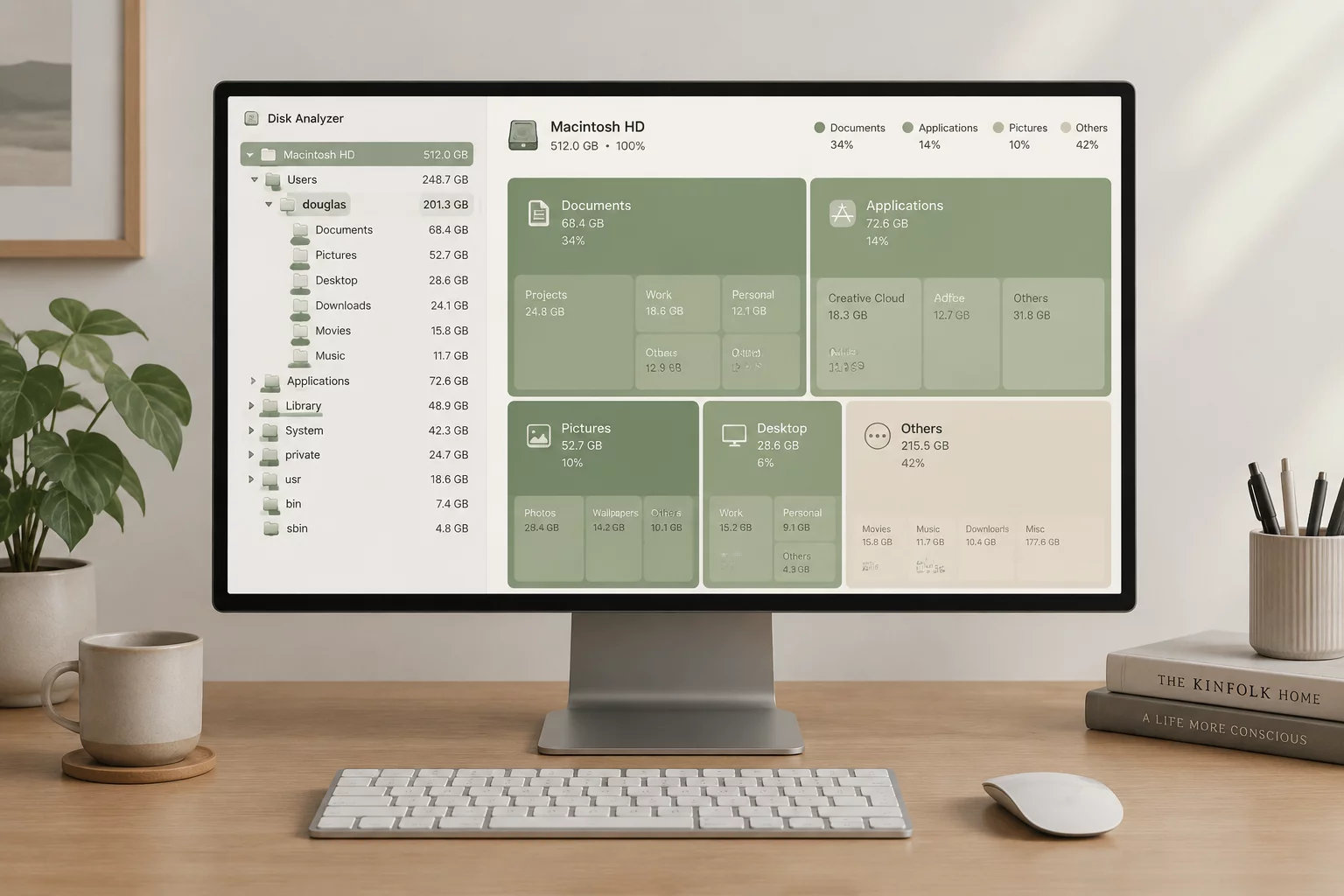
Fig 1.1: Translating raw disk block proportions into structured working tiers and versioned repository branches.
Folder Relationship & Working Materials Tiers
Active Production Assets & Working Files
Working materials represent living, mutable documents undergoing active development. These include editable master projects, raw sensor captures, 3D project hierarchies, and layered digital design boards.
- High Volatility: Frequently updated and committed.
- Strict Version Control: Requires incremental project saves.
- Restricted Handoff: Internal access only; not for client viewing.
01_WORKING/
├── _SRC_RAW/
│   └── [YYYYMMDD]_asset_name_RAW_v01.ext
├── _PROJECT_FILES/
│   └── Project_Master_WIP_r04.prj
└── _SCRATCH_ASSETS/
Action Rule: Isolate unfinished materials in prefixed underscores to prevent accidental release during packaging.
Immutable Final Deliverables & Exports
Deliverables are the frozen outputs prepared for deployment, press, client review, or downstream department handoff. Once generated and signed off, files inside this directory tree must never be overwritten in-place.
- Read-Only Discipline: Sealed checksums and immutable releases.
- Clean Tree Density: Minimum nesting depth for instant consumer indexing.
- Package Documentation: Paired manifest and README metadata files.
02_DELIVERABLES/
├── V1_2026-09-29_MASTER/
│   ├── Package_Specs_README.txt
│   └── Master_Release_Package_v1.0.tar
└── RELEASES_CLIENT_APPROVED/
Action Rule: Tag all outward deliverables with canonical semver numbers and ISO-8601 datestamps.
Transient Renders, Proxies, and Caches
In WizTree scans, transient caches typically consume 70% to 90% of aggregate project drive weight. These files are machine-generated artifacts that can be regenerated on demand and must be flagged for exclusion during long-term cold archives.
- Zero Archival Value: Safe for disk purging after milestone delivery.
- Isolated Paths: Keep outside working source directories.
- Immediate Recognition: Labeled with standard cache prefixes.
03_CACHE_TEMP/
├── _PROXY_LO_RES/
├── _RENDER_TEMP_CACHE/
└── _BUILD_ARTIFACTS/
Action Rule: Exclude 03_CACHE_TEMP directories from remote cloud synchronization mirrors.
Naming Consistency & Rapid Refactoring
Maintaining uniform folder strings across diverse operating systems prevents broken relative path references and missing dependencies. WizTree empowers administrators to perform immediate corrections using lightweight keybind operations.
| Shortcut / Trigger | WizTree OS | Direct Action |
|---|---|---|
| F2 Key | Windows (4.33) | In-place rename of selected node |
| Second Click | Windows / macOS | Enters text modification mode |
| Enter | WizTreeMac 1.00 | macOS standard rename trigger |
| Ctrl+Del | Windows (4.33) | Bypass recycle bin on orphan caches |
Responsible Teams & Lead Custodianship
Every folder tier in the project tree must map to a designated team custodian. Ambiguity in folder custody leads to unmonitored storage creep and unverified delivery artifacts.
Technical Leads & Architects
Manage root schemas, dependency manifests, build scripts, and master folder locks.
Domain Specialists & Production Crew
Maintain day-to-day discipline in 01_WORKING, prune local caches, and version output drafts.
Release Managers & Coordinators
Sign off deliveries in 02_DELIVERABLES, generate package checksums, and conduct handoffs.
Team Handoff Verification Generator
Before passing a project directory to the next department or archiving it after a WizTree scan, verify the primary handoff criteria. Toggle items to generate an immediate status summary ready for your project log.